

2.1 Partner Management
2.1.1 Add Partner
Rules:
- A Partner must first register an account on the website before being added as a “Partner” in the backend.
- Only direct partners can be added. For example, in the structure A > B > C:
- Partner A can only add Partner B.
- Partner C must be added through Partner B.
- Once a Partner is created in the backend, the affiliate can immediately log in to the affiliate dashboard.
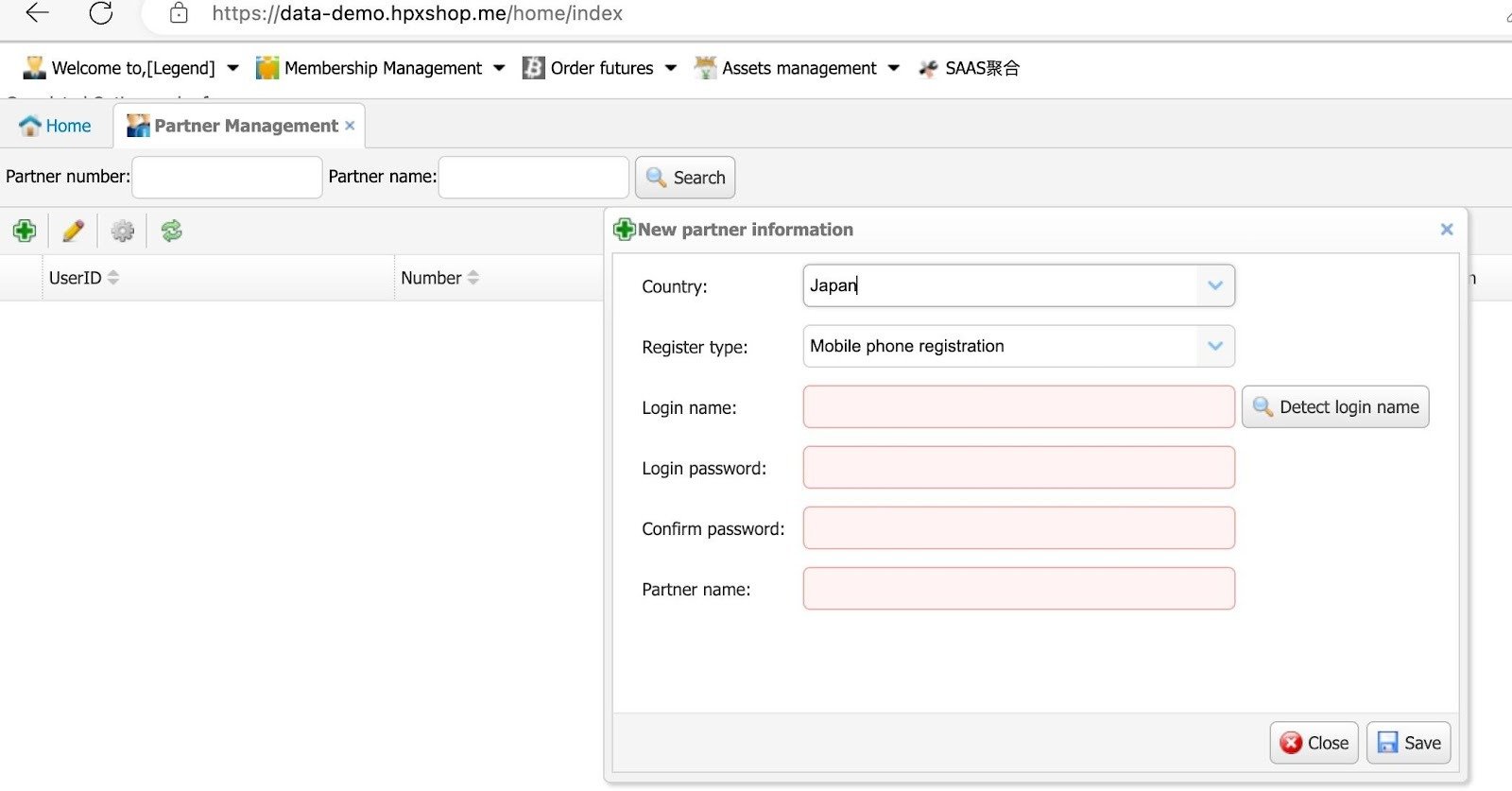
- Open Membership Management > Partner Management
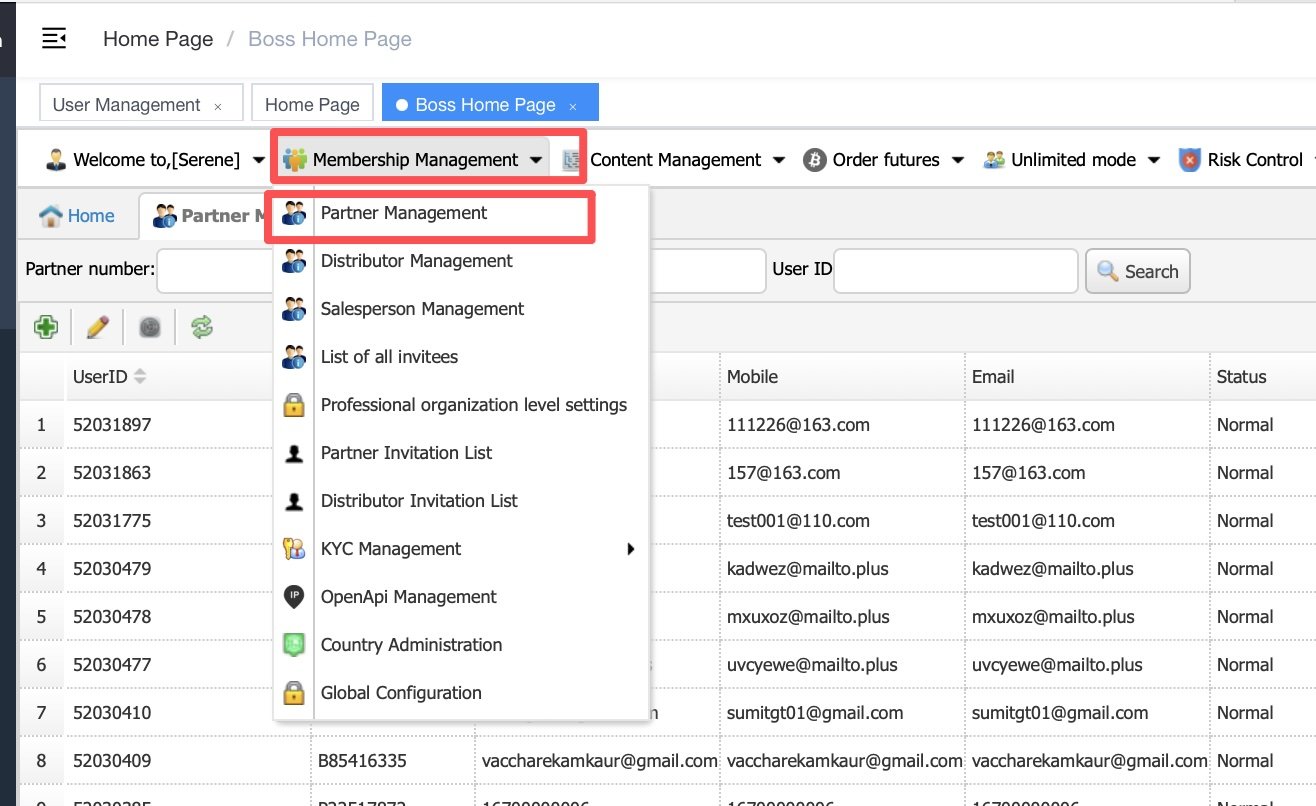
- Click on the + button on the top left.
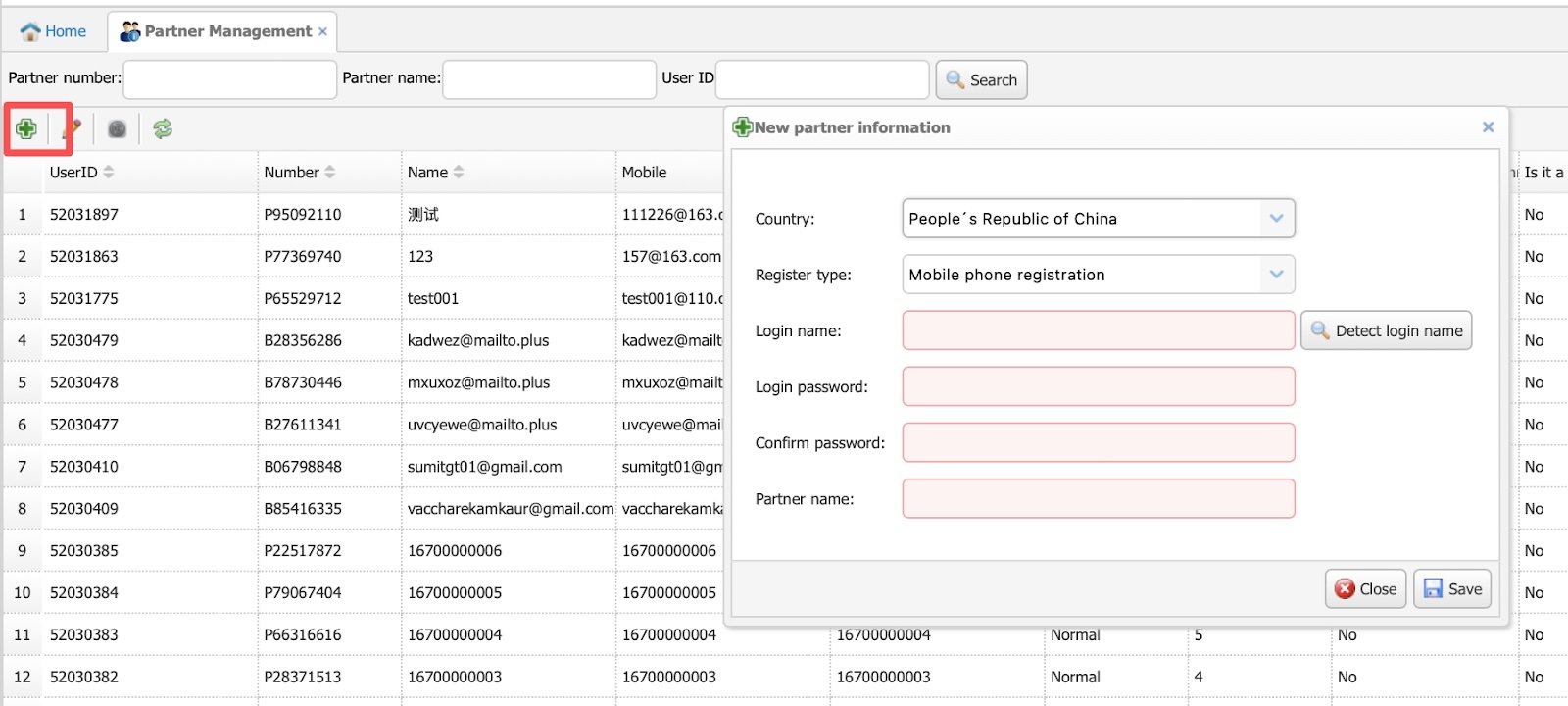
Important Fields:
- Country – Required if the user registers via mobile; otherwise, you can fill in any country.
- Login Name – Enter the agent’s email and click “Detect Login Name.” If the email already belongs to an agent account, it will fail.
Not Important Fields:
- Login Password – Enter any numbers. It’s not important, as affiliates can log in using their email or phone number.
- Partner Name – Can be entered as preferred by the exchange.
- After completing the details, click Save. Once the account is created, the affiliate can log in via the application or website frontend using their email or phone number.
2.1.2 Set Commission Rebate
Note: Commissions set here apply only to futures, options, and grid trading. Spot trading is not included.
- Once the account is created, please click on the right-side configuration button to start setting up the rebate ratio.
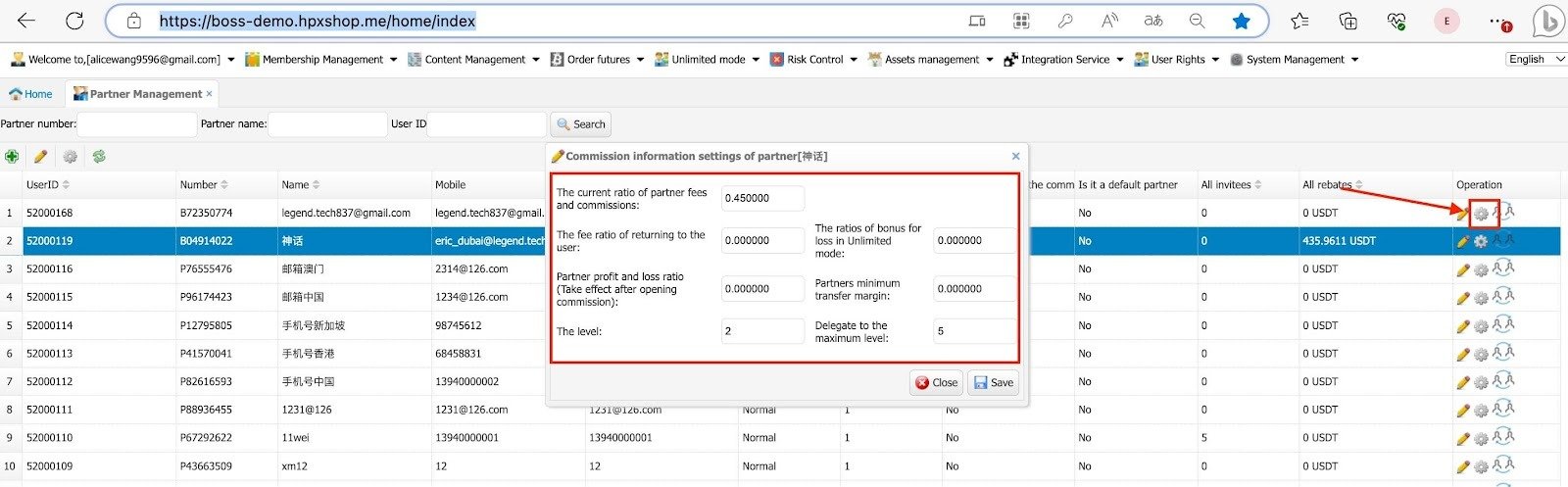
Rebate Commission Settings Explanation:
- Current Ratio of Partner Fees and Commissions (Commonly Used)
- This refers to the transaction fees generated by both users invited by the Partner/Affiliate and the partner’s own trades.
- Example: If the ratio is set to 0.45 (45%) and a user trades 1,000 USDT with a transaction fee of 80 USDT, the partner receives 45% × 80 = 36 USDT.
- If the partner generates a transaction fee of 80 USDT from their own trades, they also receive 36 USDT.
- Fee Ratio Returned to the User (not recommended to use) just fill in 0
- This is the rebate a partner gives back to their downline for trading fees.
- The exchange can choose to rebate part of the transaction fees from the partner’s own trades back to them.
- Partner Profit and Loss Ratio (not recommended to use)just fill in 0
- This setting allows the partner to share in the exchange’s market-making risk and profit.
- Example: If a user wins 1,000 USDT, the exchange must pay that amount. With a 0.5 (50%) setting, the partner covers 50% of the win/loss.
- If users lose 1,000 USDT → Partner pays 500 USDT to cover it loss.
- If users win 1,000 USDT → Partner gets 500 USDT as profit.
- Second contract handling fee commission ratio:
- This applies to Lightning Futures only. If merchants are not using Lightning Futures, please leave it blank. If they are, fill in the commission ratio according to the business standards.
- Level
- Defines the tier or rank of the Partner/Affiliate. If it’s created from the superadmin, normally it’s tier 1.
- Delegate to the Maximum Level
- Sets the maximum community level for affiliates. This partner will be unable to receive any commission generated above this maximum tier.
- Bonus Ratio for Loss in Unlimited Mode (not recommended to use) just fill in 0
- If a partner loses funds while trading, the exchange can automatically credit a bonus balance.
- Example: If a partner loses 1,000 USDT, and the ratio is set at 0.5 (50%), the system adds a 500 USDT bonus for trading.
- Important: This bonus cannot be withdrawn; only profits earned from it can be withdrawn.
- Partner’s Minimum Transfer Margin (not recommended to use)
- The security deposit is required for partners who wish to share the market-making risk.
- After completing all rebate settings, go to User Rights > Users and check if the partner account has already been created. The affiliate can log in using either their email or a phone verification code.
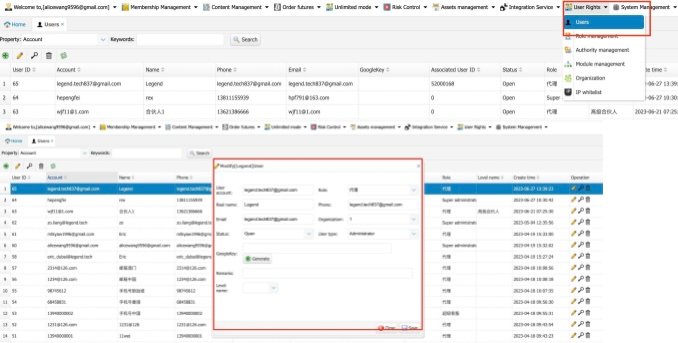
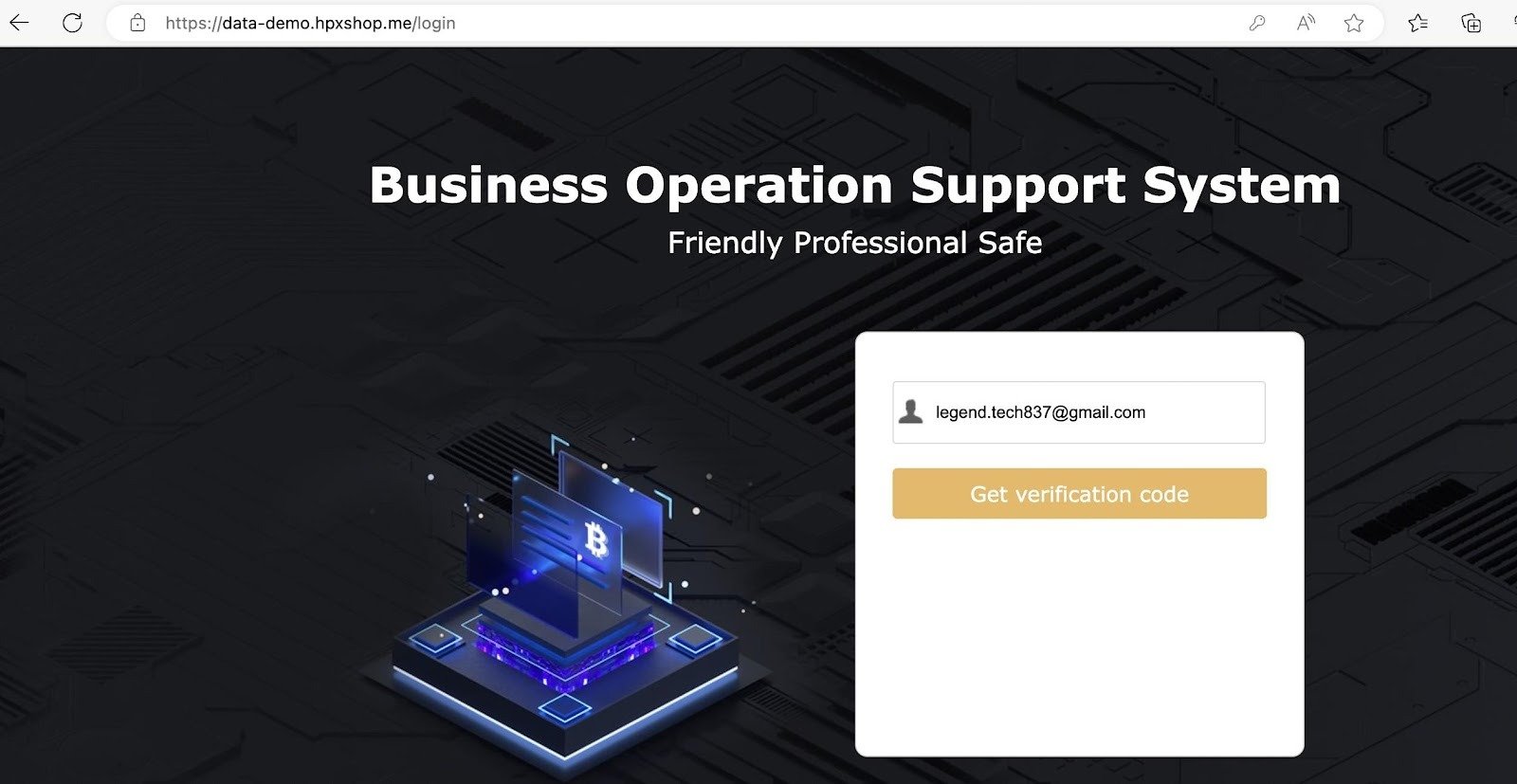
- Once a Tier 1 affiliate has access to the admin dashboard, they can invite Tier 2, Tier 3, Tier 4, and Tier 5 affiliates, up to the maximum level allowed.
2.1.3 Add Commission for Sub-Agent Dashboard
- Once the agent has logged into the agent dashboard, go to Partner Management and click the Settings button. Set the commission ratio for the sub-agent.
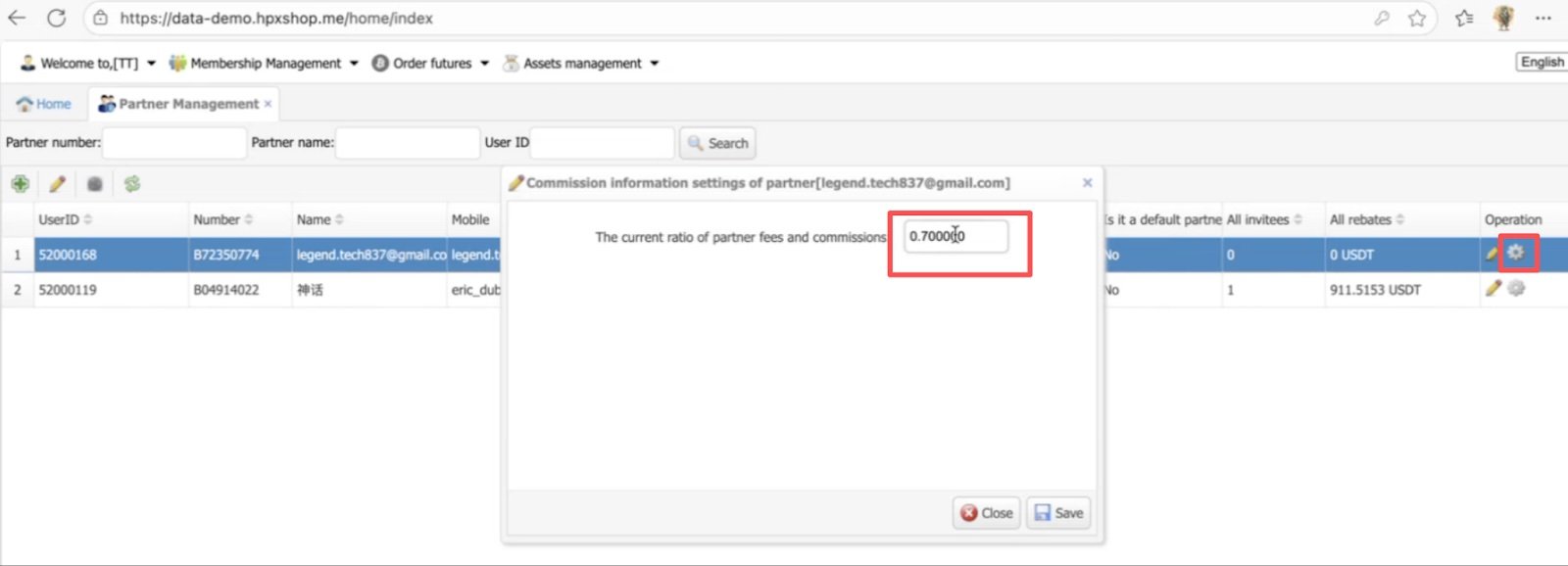
Note: The sub-agent’s commission ratio cannot exceed the partner’s own commission.
Example: If the partner’s commission is 0.90, the sub-agent’s commission must be set below 0.90.
For example:
A > B > C
A commission ratio= 0.90
B commission ratio= 0.80
C commission ratio= 0.70
Downline commission ratio must be lower than the referral.
This is due to the downline will share the commission with the upline,
If B generates 10 USDT in trading fees, then A receives 9 USDT and the Exchange receives 1 USDT. (B does not keep any commission.)
If C generates 10 USDT in trading fees, then B receives 8 USDT, A receives 1 USDT, and the Exchange receives 1 USDT. (C does not keep any commission.)
2.1.4 Commission Review
Commission must be reviewed to be distributed.
- Click on Order Futures> Partner Funds > Partner Withdrawal Review.
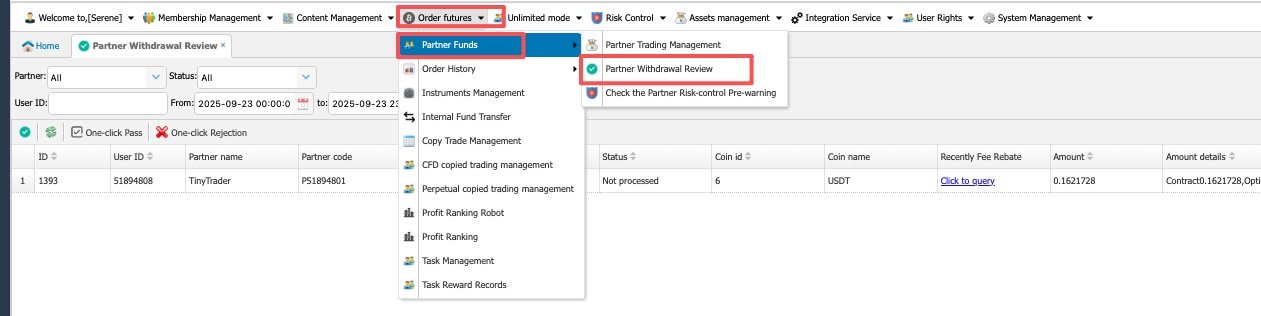 Note: All the commissions will be calculated on 04:00 Beijing Time; 0:00 GST. Please review it accordingly, otherwise the commission will not be distributed.
- Click on the Operation button, select the review status and click Save.

2.2 Check Referral of the Partner
- Click on Partner Invitation List and search the UID on the Invitee
filter.
