

1.1 List of all users
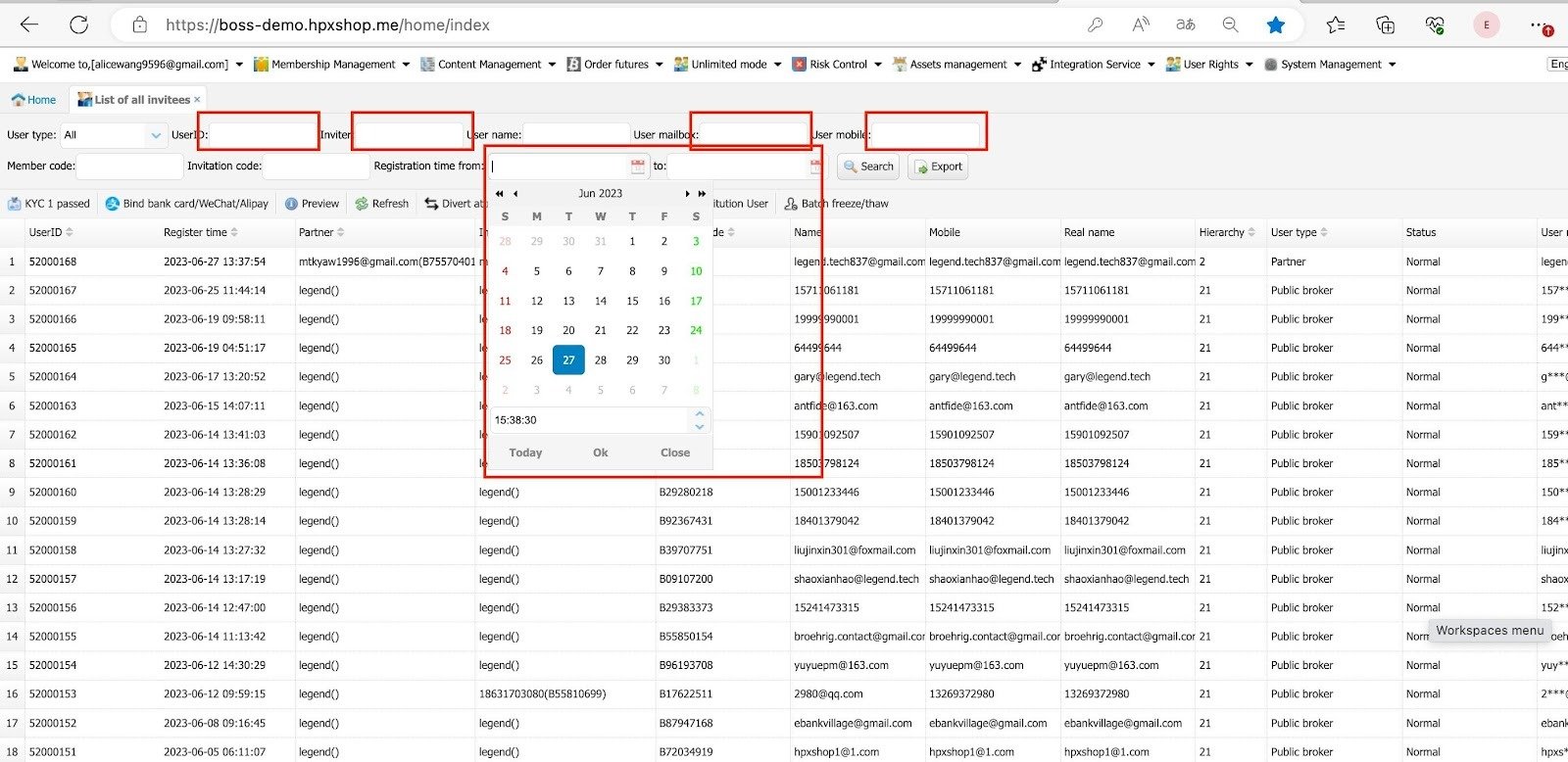
You can search by User ID (UID), inviter UID (affiliate UID), or user email/phone number. Select the date range you want to check, and the results will display accordingly.
- Membership Management > List of all invitees.
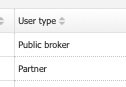
There are 2 user types:
- Public broker = normal user
- Partner = affiliate.
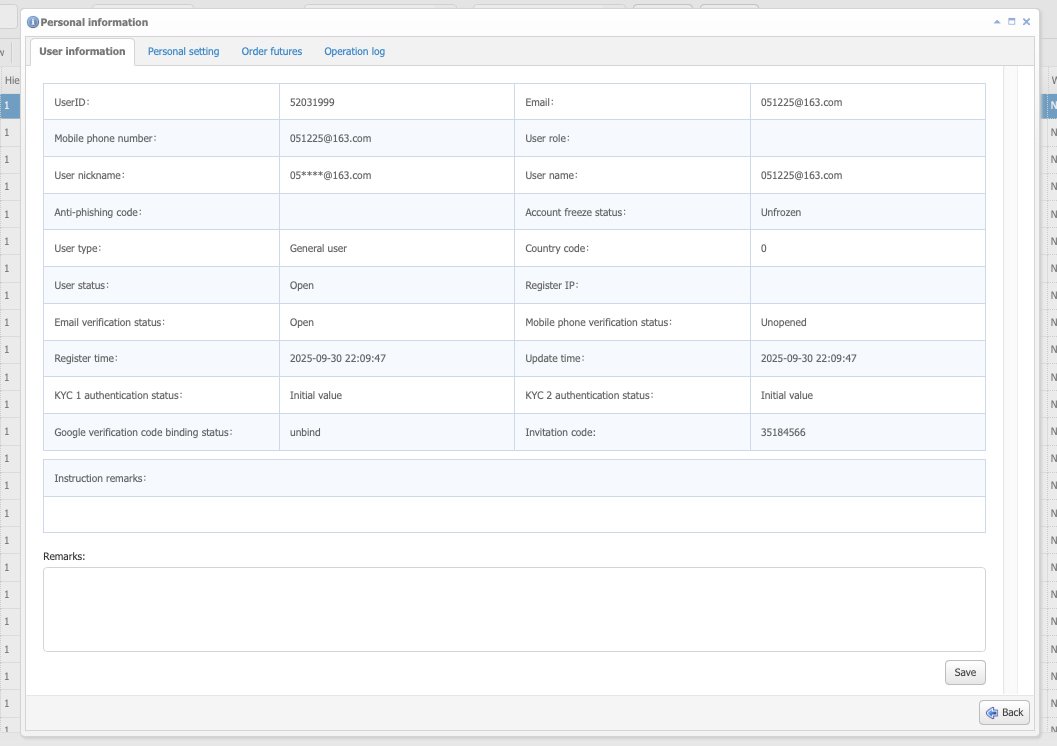
- Click on List of all invitees > Select one user > Preview. You can check all their details here.
1.2 Freeze/ Unbind GA
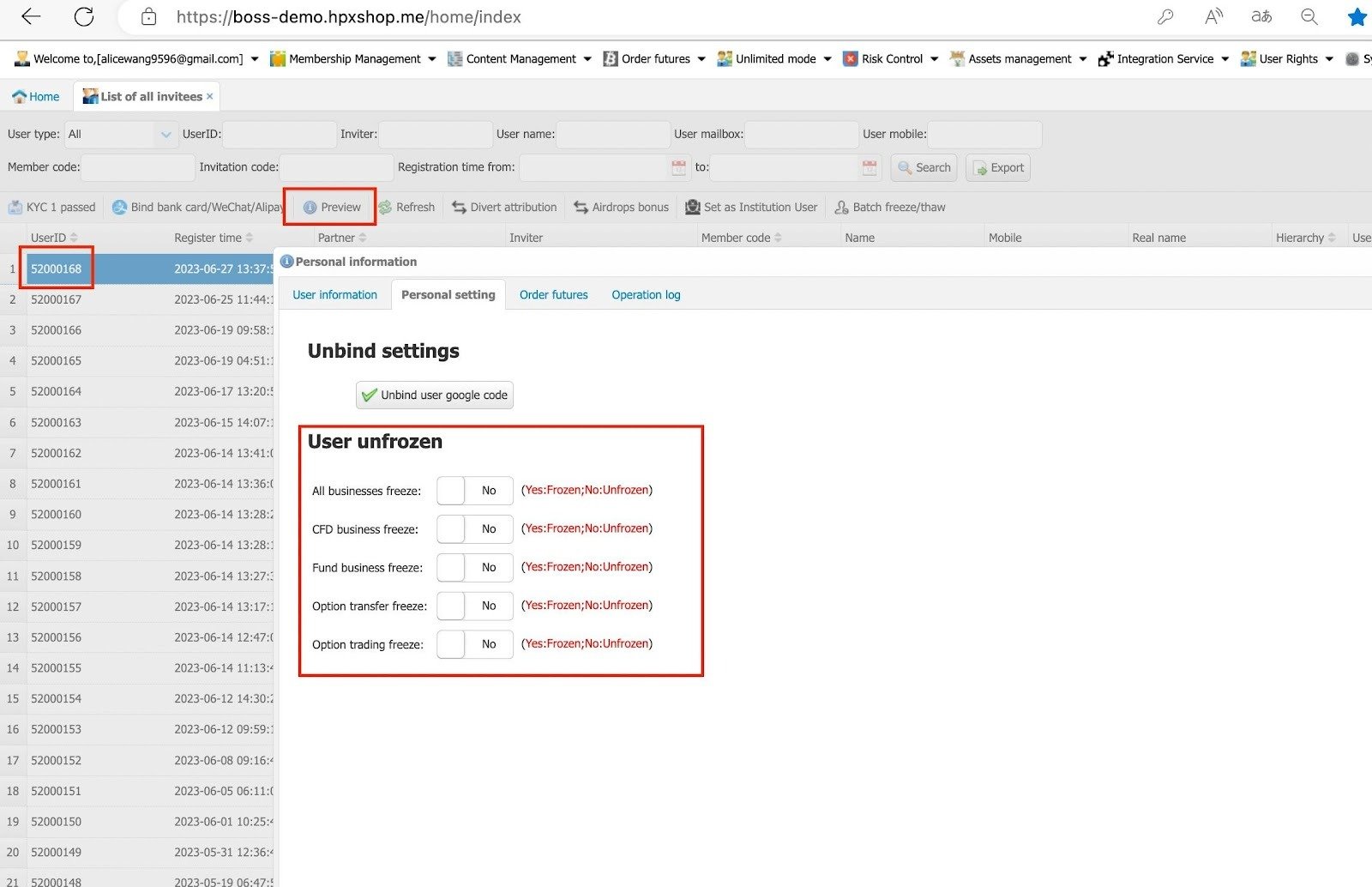
Click on List of all invitees> Select one user > Preview and then go to Personal settings.
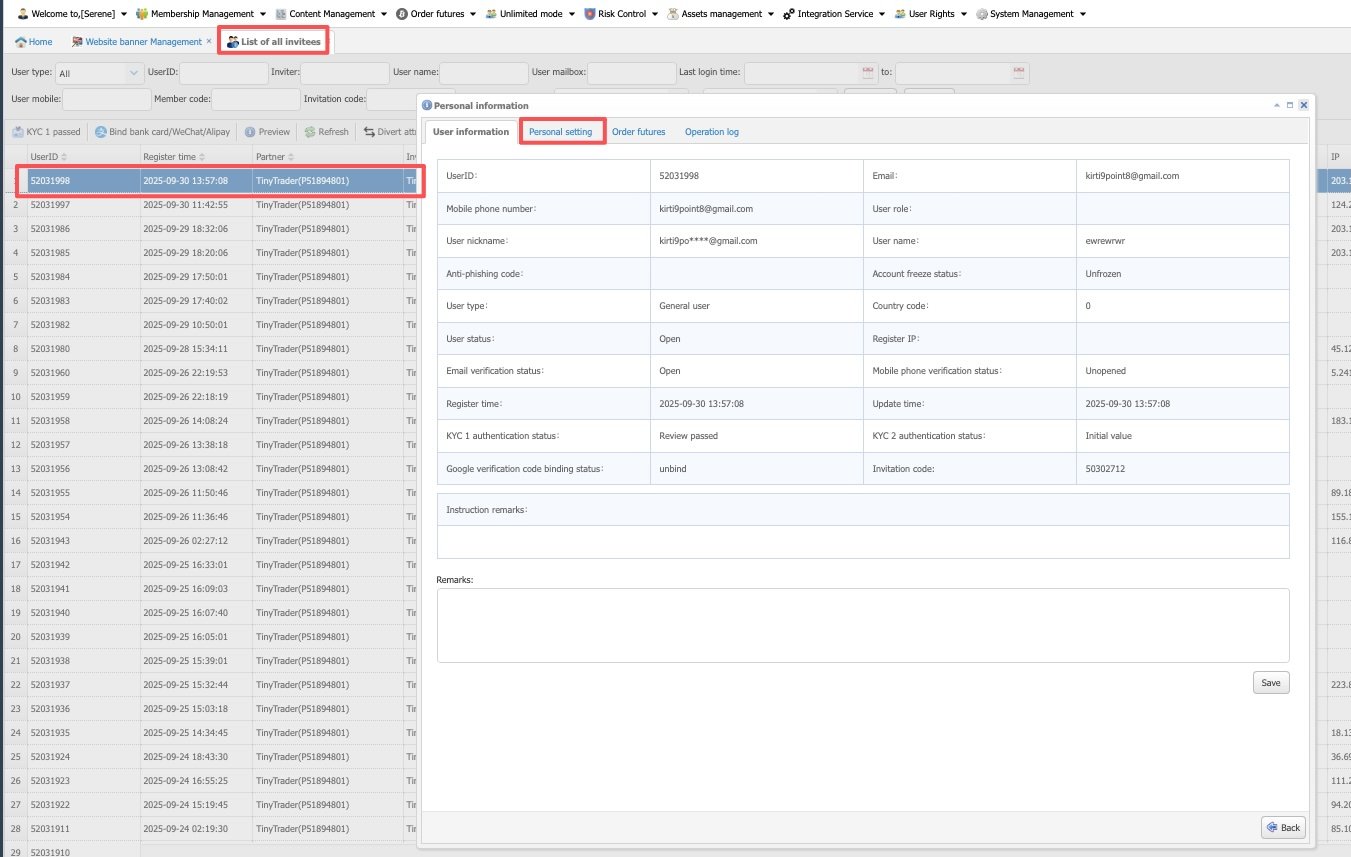 Freeze Options:
- All Business Freeze – Freezes the entire user account.
- CFD Freeze – Freezes only futures trading; the user cannot trade.
- Fund Freeze – Freezes deposits and withdrawals only.
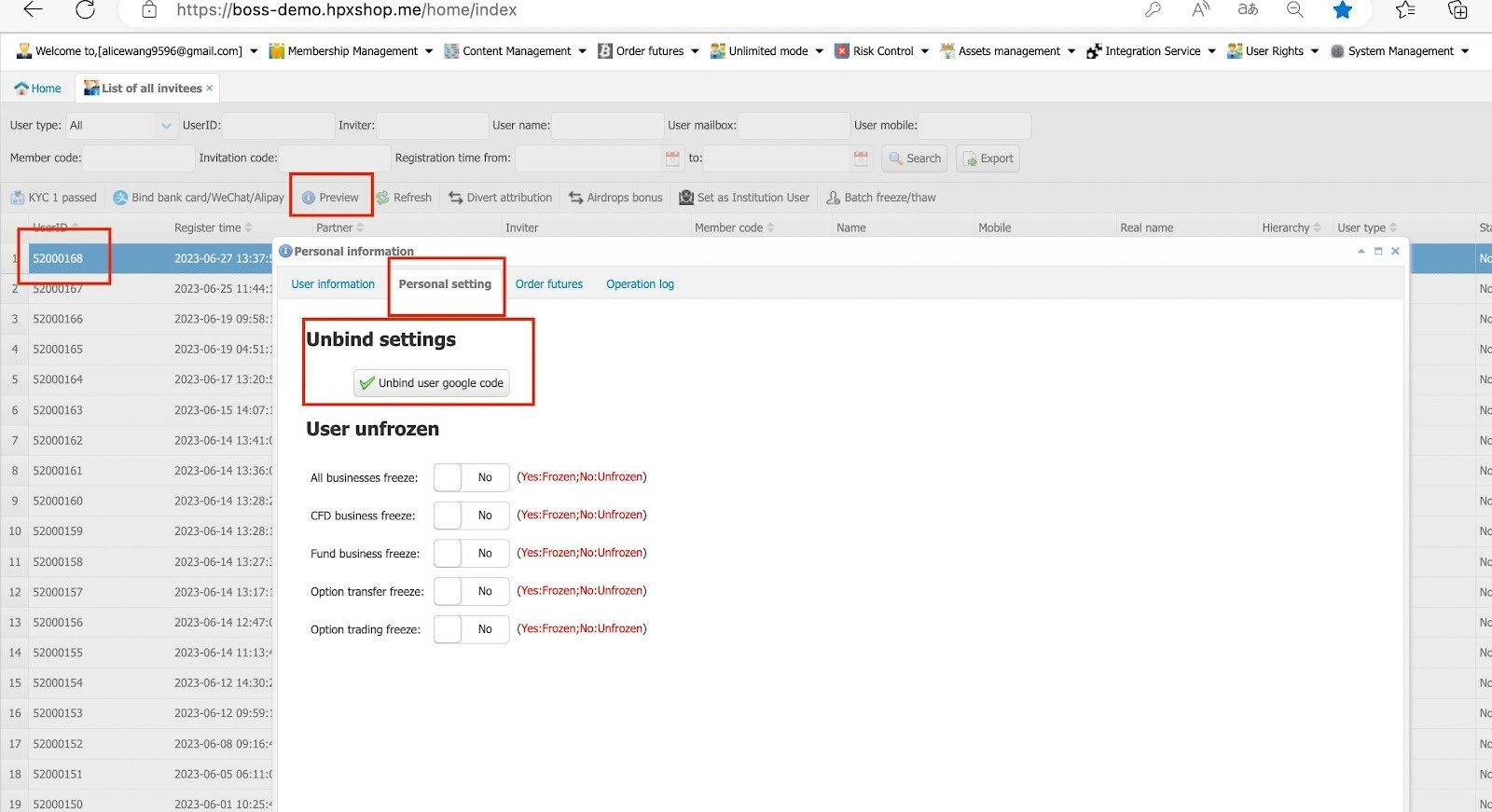
1.3 Unbind Google Authenticator
Please select one user > preview and then go to personal settings. There will be an option to unbind the GA.
1.4 Operation Log
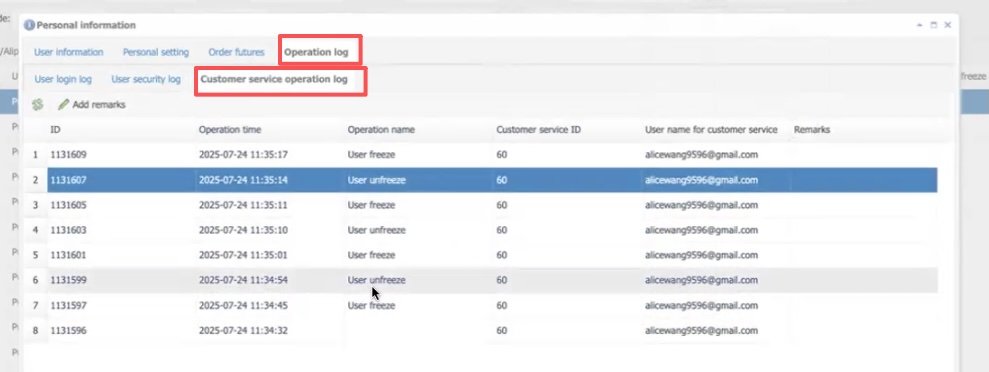
You can check all the operation log of the user.
- Click on List of all invitees> Select one user > Preview > Operational Log > Customer Service Operation Log.
1.5 Divert Attribution
Divert attribution allows the user to transfer the invitation to a new user ID.
- Please select one user > Divert Attribution.

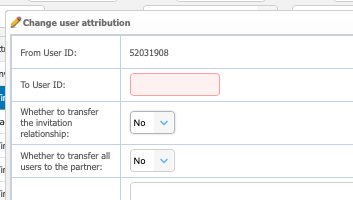
*The transfer User ID must be a partner account.
Choose whether to transfer all users to the partner or transfer own relation only.
1.6 KYC
At the menu of Membership Management> KYC Management, there will be 3 options
- RegTank KYC
- Human Review
- Jumio System Audit (No longer available)
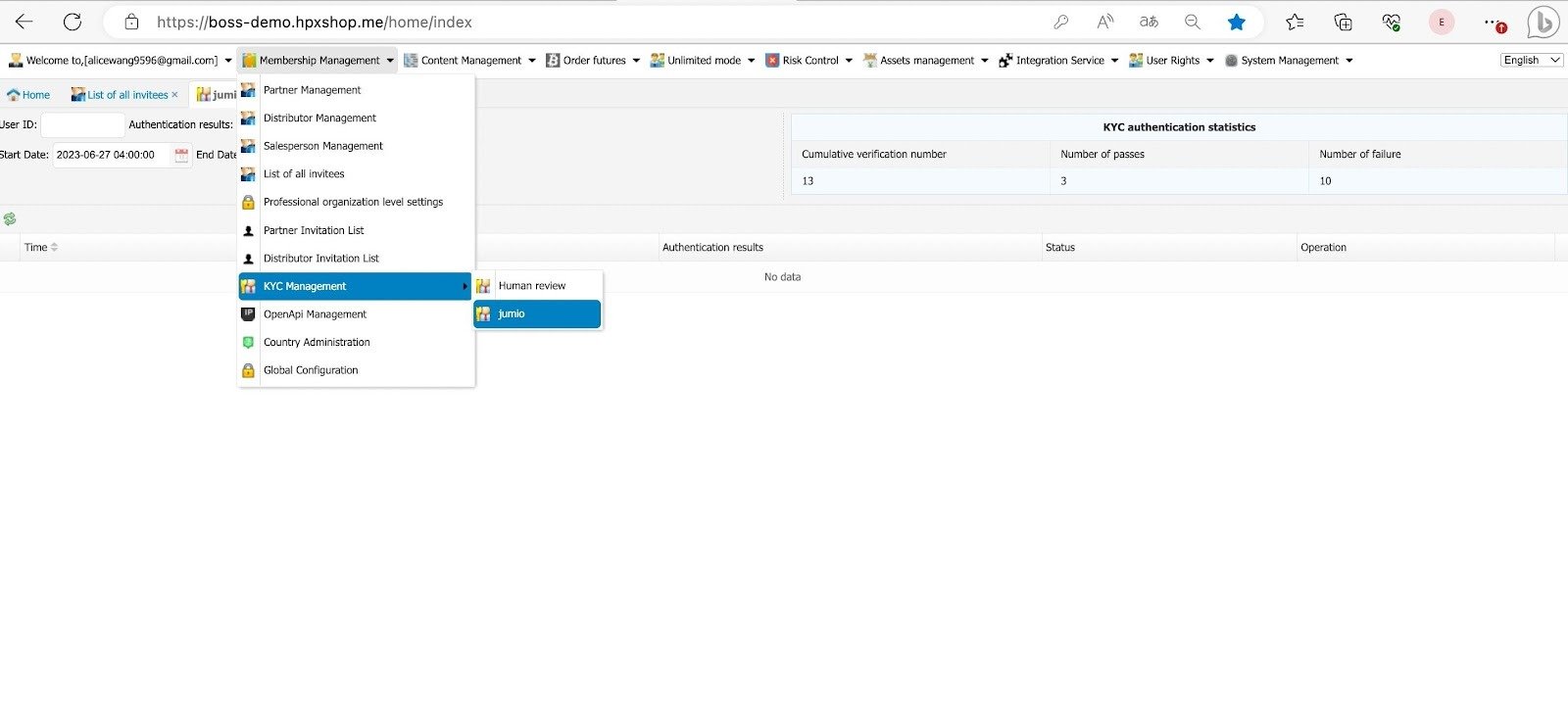
If the exchange subscribes to RegTank KYC with Tinytrader, all KYC verifications will be processed automatically. However, if a user fails verification more than three times, the case will be escalated for human review.
If the exchange uses Manual KYC only, every user’s KYC submission will require human review and must be approved manually one by one
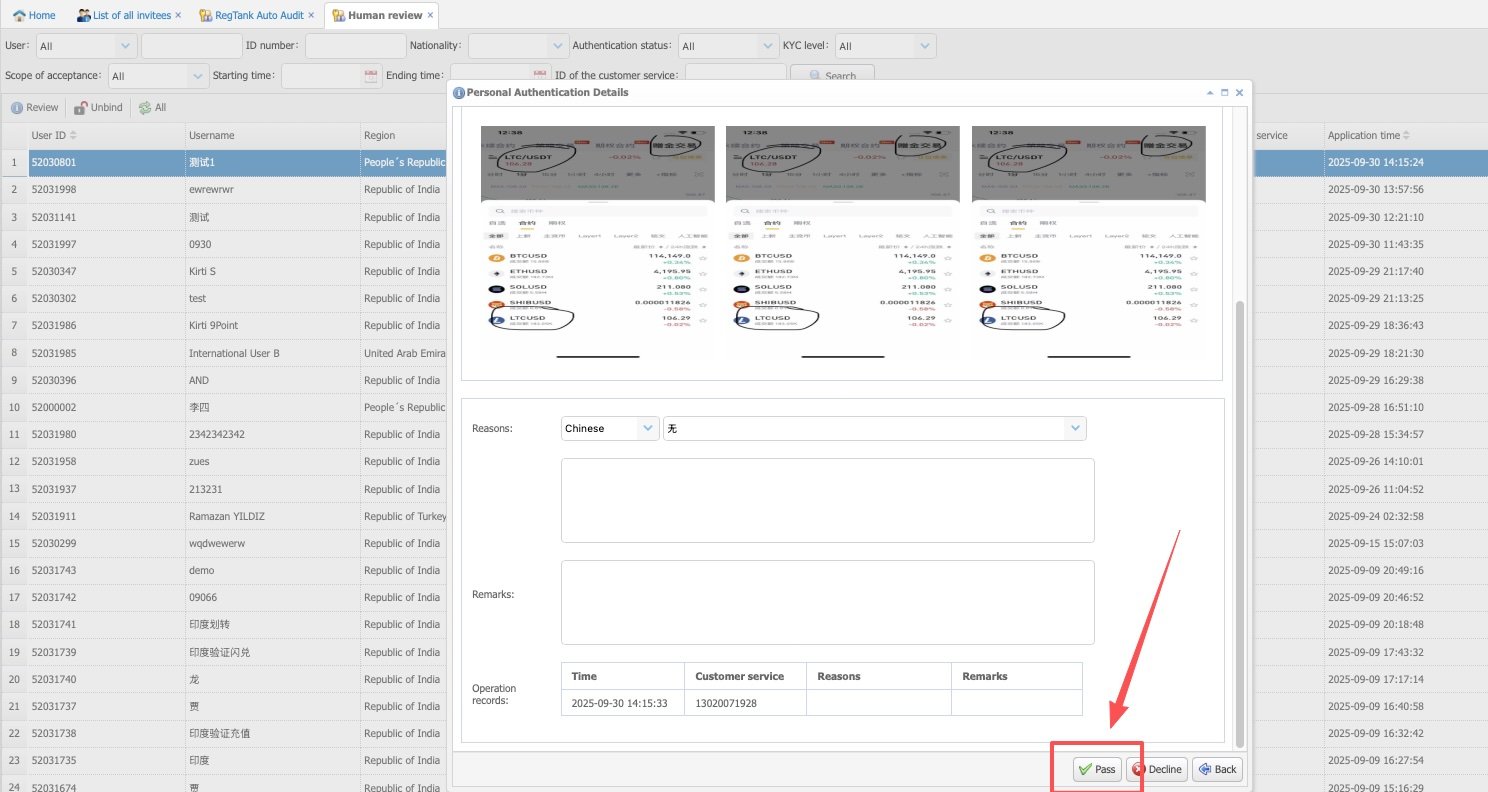
1.6.1 Reviewing KYC
Just double click the user profile and select Pass.
1.7 Airdrop to Users
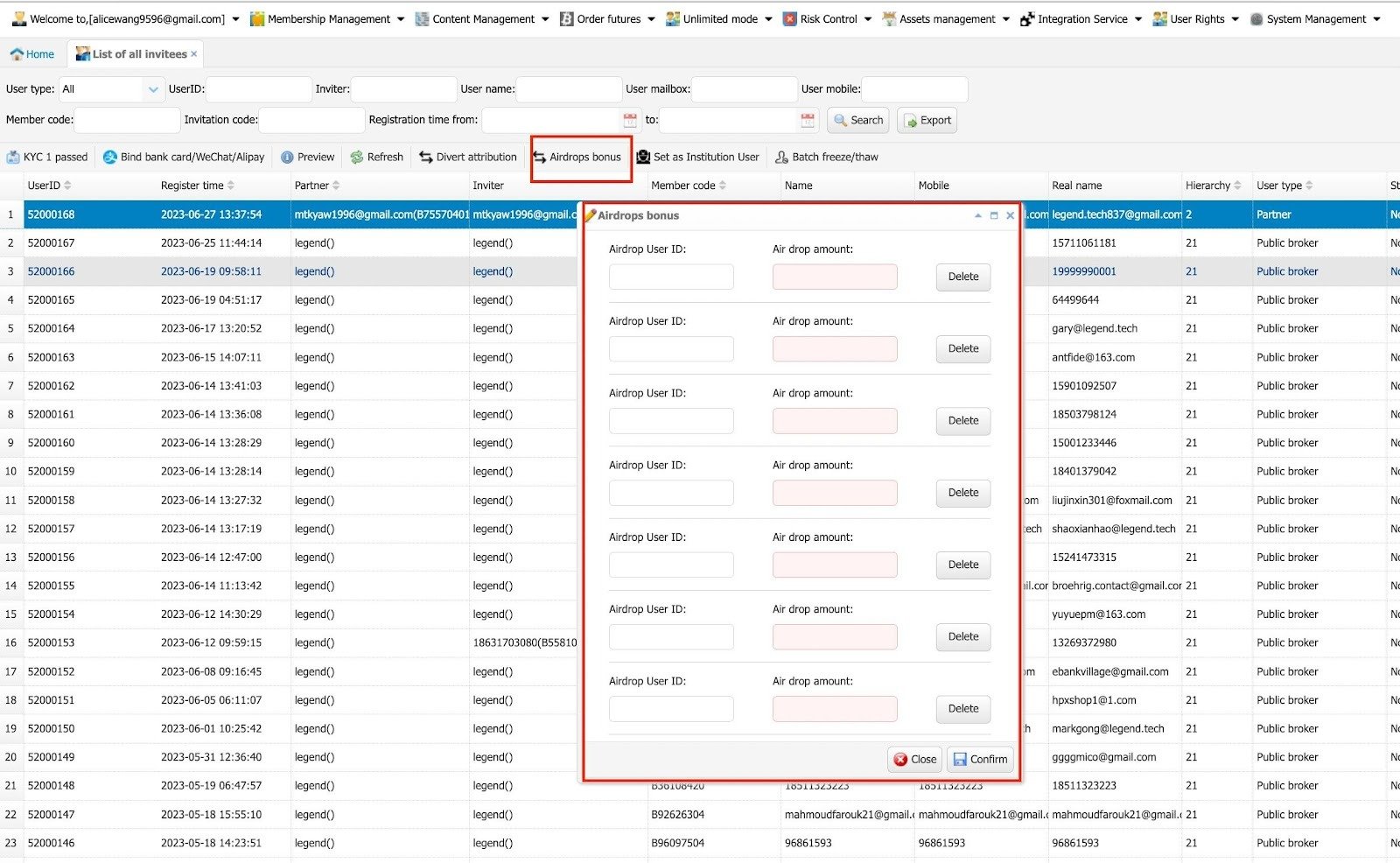
To give an airdrop bonus to users, click the Airdrop Bonus button, enter the UID and the airdrop amount.
Note:
- If a user requests an airdrop, they must first go to the app and enable Infinity Mode. Only then can the airdrop be issued from the backend.
- Bonus is ineligible to withdraw, users can only withdraw the bonus profit from the bonus trading.
1.7.1 Assign 1 by 1:
- Membership Management > List of all invitees > Airdrop Bonus.
1.7.2 Bulk Assign:
- Membership Management > List of all invitees> Bulk Airdrop.
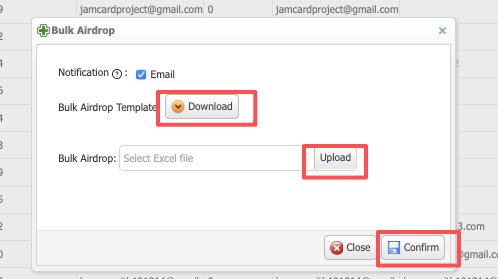
Download the template and edit your own user > Upload > Confirm.