
5.1 Withdrawal Limit Configuration (Platform)
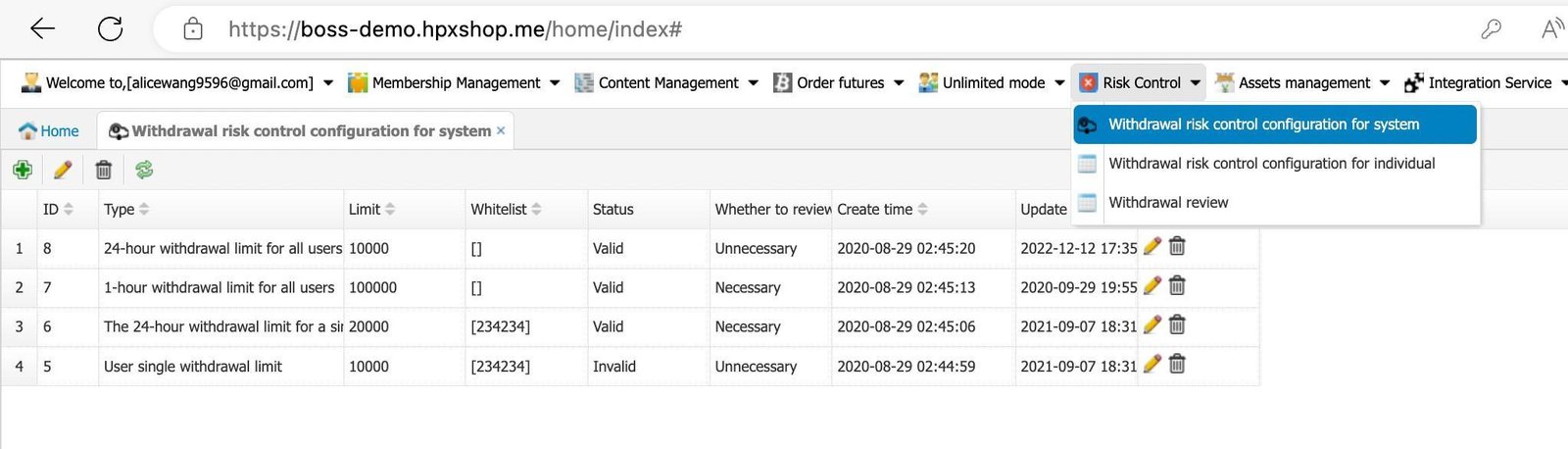
- This section allows you to set the withdrawal limits for the platform or users.
*In the BOSS backend, every withdrawal requires manual review. If you want to enable automatic auditing in the wallet, please go to the HBC wallet backend.
Risk Control > Withdrawal risk control configuration for system.

5.2 Withdrawal Limit Configuration (Selected User)
This allows you to set withdrawal limit for the selected user.
- Risk Control > Withdrawal risk control configuration for individual.

5.3 Withdrawal Review
Any withdrawal request will appear in “Withdrawal Review” once you set “Necessary to review.”
- Go to Risk Control > Withdrawal Review. Simply double-click on it and approve or decline based on the exchange’s requirements.
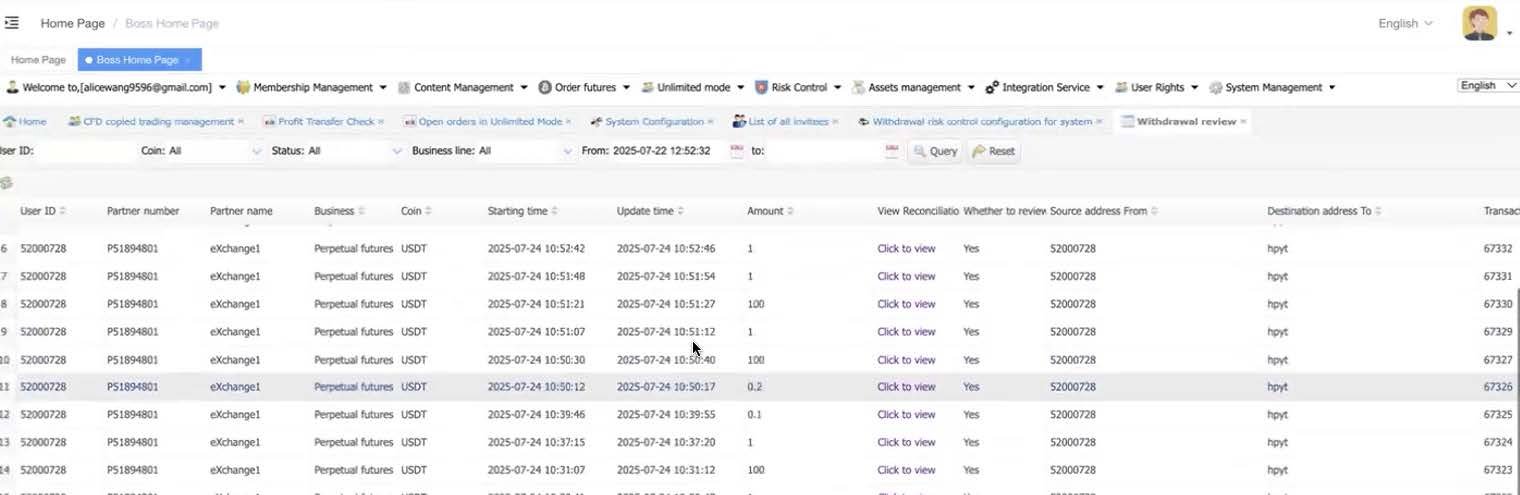
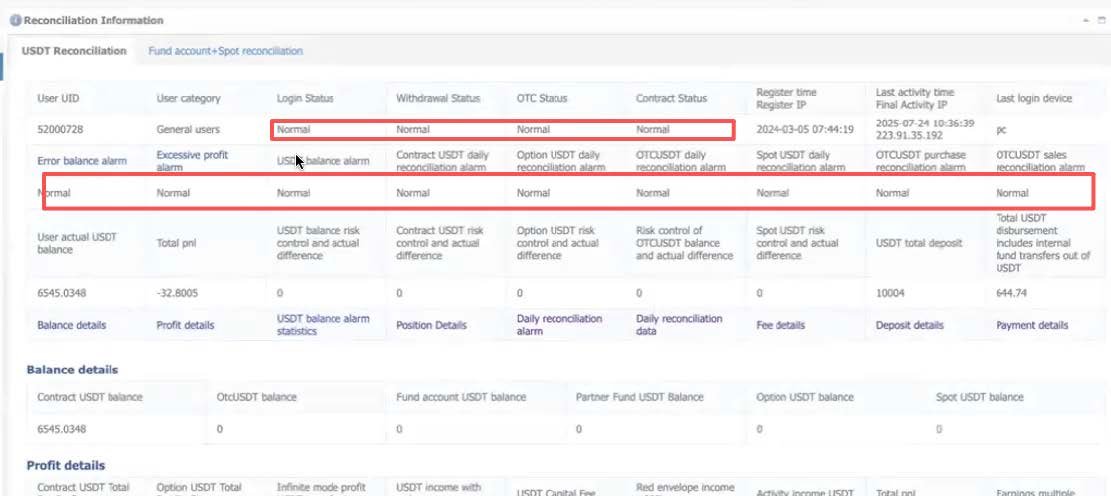
- Click on View Reconciliation

You can check all the user’s details here. The user’s reconciliation should be all normal, if it’s abnormal please reach out to our tech team.