
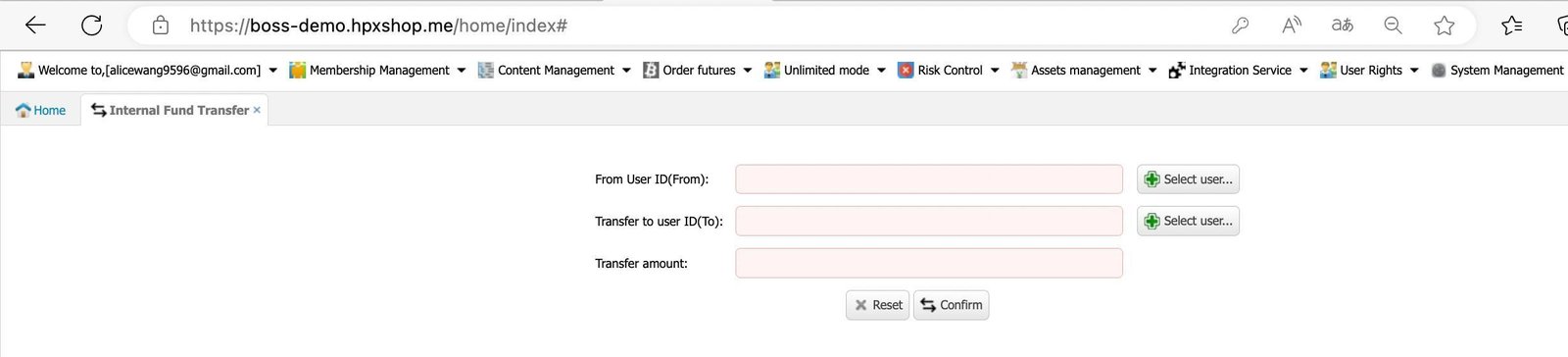
4.1 Internal Transfer
This feature enables fund transfers through the backend, but it only applies to the Futures Account.
- Order Futures > Internal Transfer
Enter the transferer and the receiver UID, input the amount, and then click Confirm.
4.2 Transferring funds to own Margin Account

Note:
- There must be sufficient balance in both the Margin Account and the Platform Account.
- Platform Account: Used to collect users’ trading fees.
- Margin Account: Holds users’ trading funds. If there is no balance here, users will be unable to open trades. Please ensure sufficient funds are available.
- To start futures trading, a minimum deposit of 20k is recommended in the Margin Account.
- Create a new exchange account on your website and deposit into the futures account.
- Transfer the exchange account UID to your own Exchange UID. Each exchange has only 1 main exchange UID.

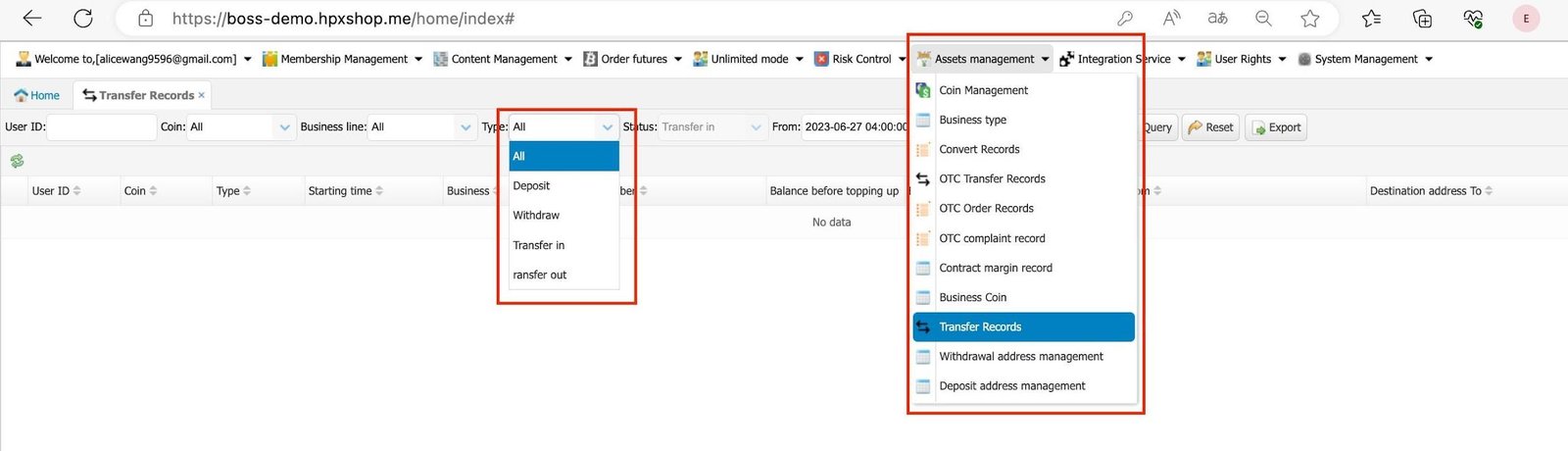
4.3 Transfer Records
You can view all fund transfer records between accounts, such as Spot, Fiat, Futures, others, here.
- Assets Management> Transfer Records.
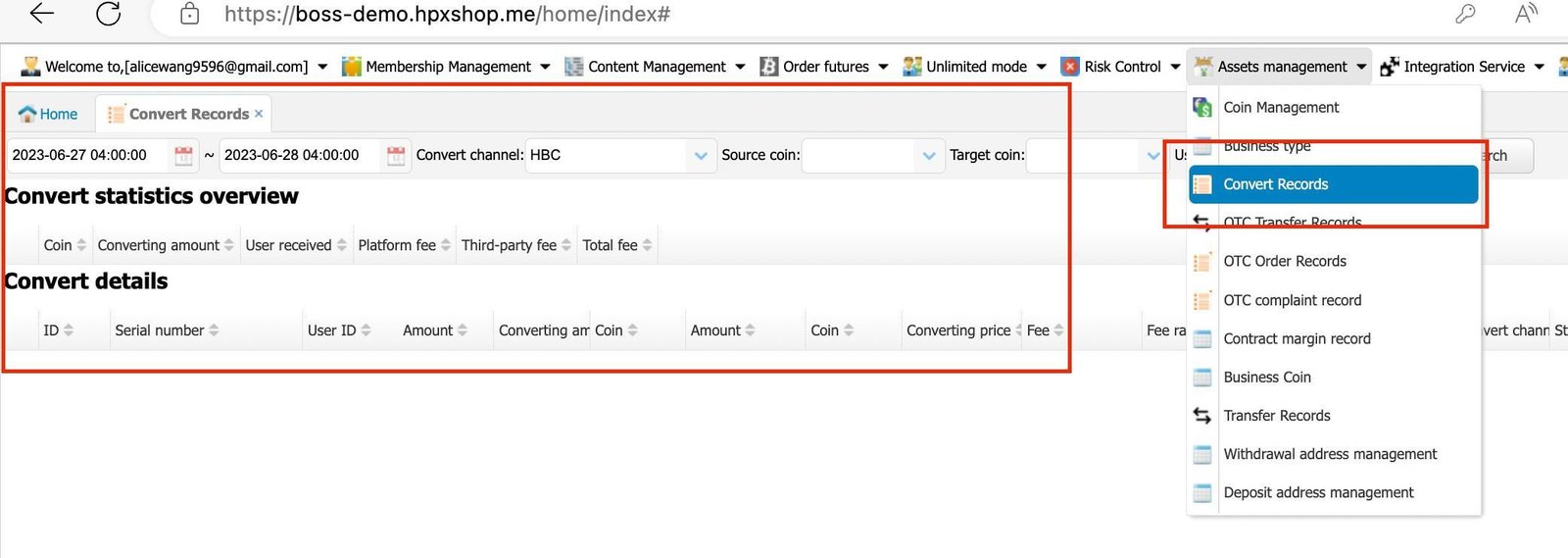
4.4 Convert Records
You can view all crypto conversion records here, for example: BTC to USDT, LTC to USDT, and others.
- Assets Management > Convert Records.
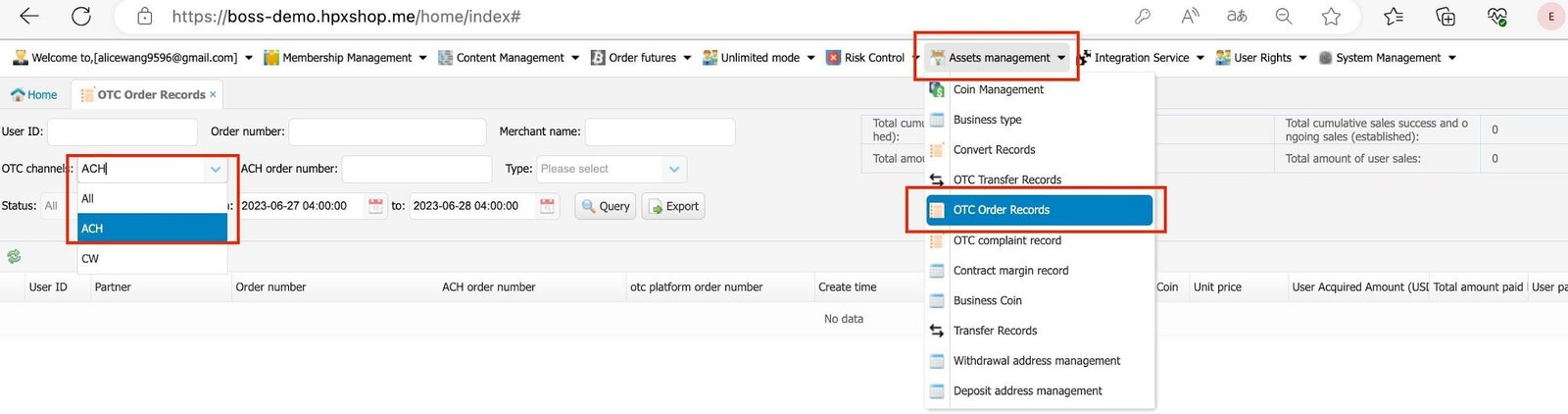
4.5 OTC records (Payment gateway orders history)
If a payment gateway has been subscribed, select the correct channel (e.g., ACH, CW) to track users’ crypto purchase records.
- Assets Management > OTC Order Records.